Smart Tomcat Setup Guide
This guide helps you set up Smart Tomcat in your development environment, both in IntelliJ IDEA and in Visual Studio Code.
Prerequisites
Make sure you have the following installed:
IntelliJ IDEA Setup
-
Open IntelliJ IDEA and select New Project.
-
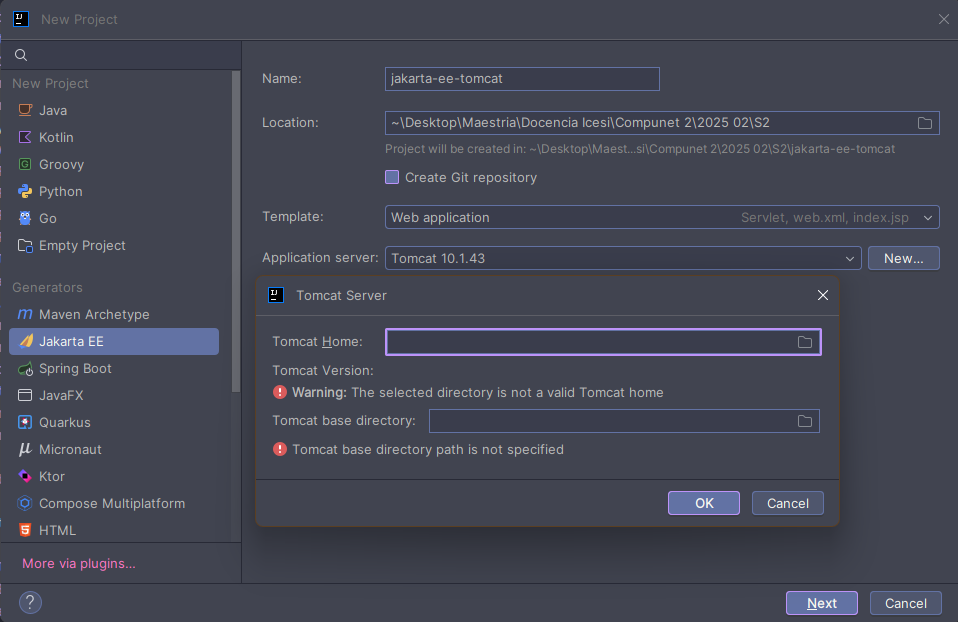
Choose the Jakarta EE template and select Web Application.
-
Under Application server, select Tomcat Server and then Tomcat 10. If it is not configured yet, click New and select the folder where you installed Tomcat.
-
Create the project and wait for IntelliJ to set up the environment.
-
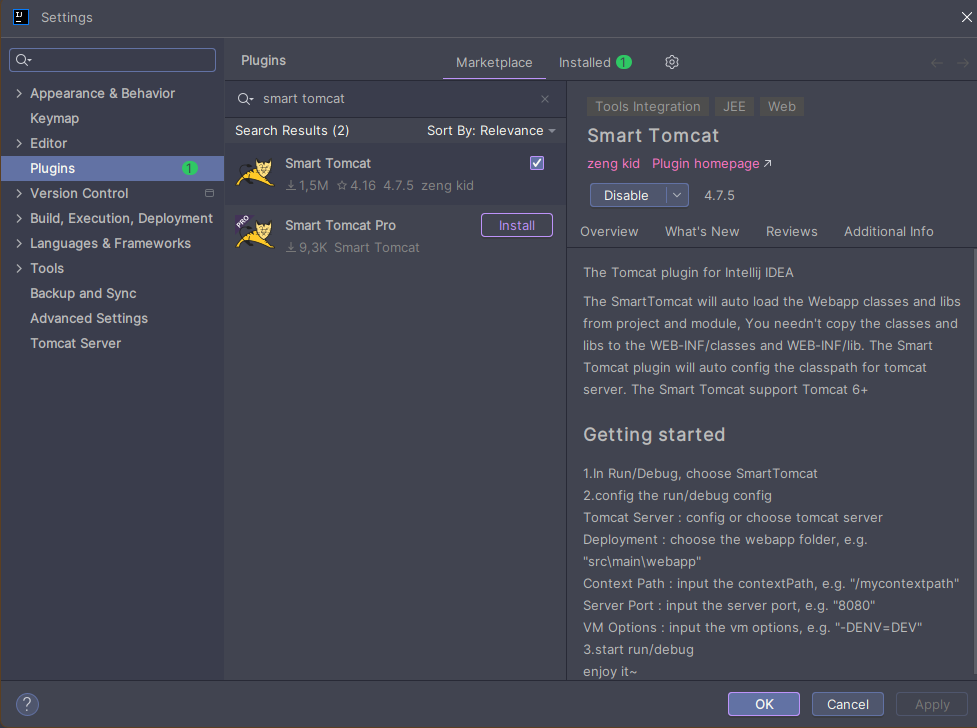
Go to the upper-right corner, click the settings gear and select Plugins.
-
Search for Smart Tomcat and install it.
-
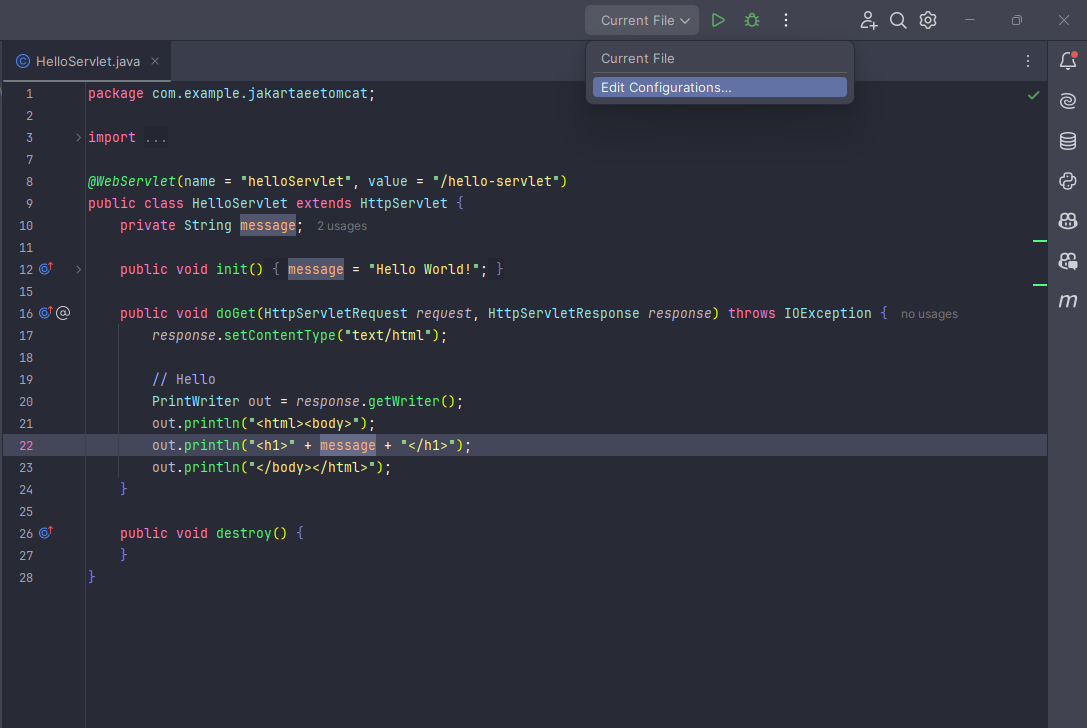
Click the run icon and select Edit Configurations.
-
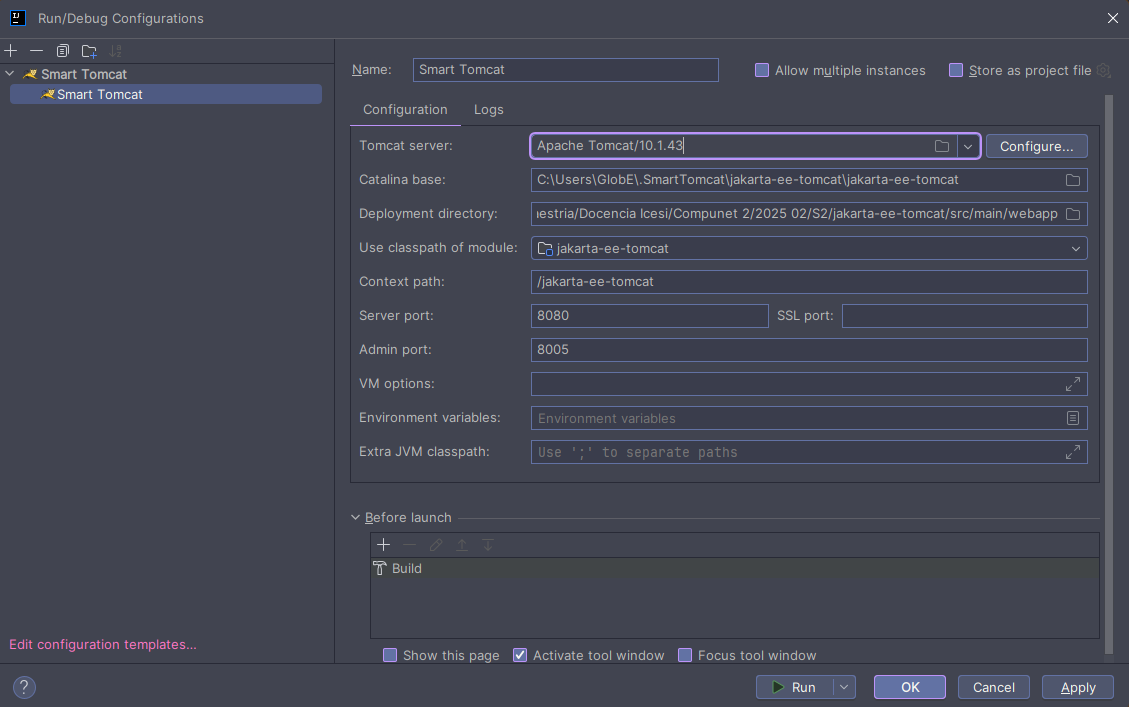
In the configuration window, select Smart Tomcat and click the + icon to add a new configuration.
-
Under Tomcat Server, select the Tomcat installation path and check that the port is correct (8080 by default).
-
Apply the changes and close the configuration window.
-
You can now run your web application by clicking the run icon.
Visual Studio Code Setup
-
Open Visual Studio Code and make sure the Java Extension Pack plugin is installed.
-
Open the command palette (
Ctrl+Shift+P) and run Java: Create Java Project. -
Select Maven and then maven-archetype-webapp in its latest version.
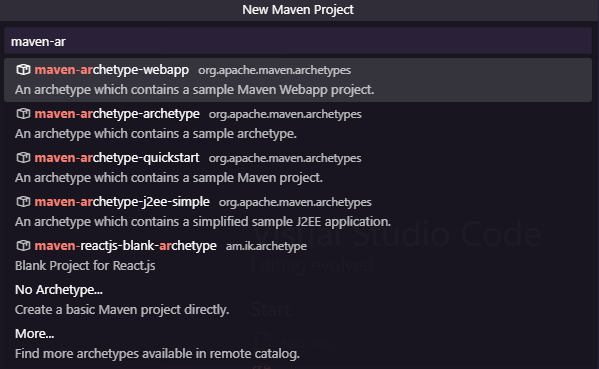
-
Choose the project's group and artifact (for example,
com.exampleandmy-web-app). -
Select the project location and wait for it to be created.
-
Add the following dependency to the
pom.xmlfile:pom.xml<dependency><groupId>jakarta.servlet</groupId><artifactId>jakarta.servlet-api</artifactId><version>5.0.0</version><scope>provided</scope></dependency> -
Create the following folders to organize your project:
src/main/java/com/examplefor the Java code.src/main/webappfor the web files (HTML, JSP, etc.).
-
The project structure should look like this:
my-web-app/├── pom.xml├── src/│ ├── main/│ │ ├── java/com/example/│ │ └── webapp/│ ├── WEB-INF/│ │ └── web.xml│ └── index.jsp -
Create the
HelloServlet.javafile insrc/main/java/com/example:HelloServlet.javaimport java.io.*;import jakarta.servlet.http.*;import jakarta.servlet.annotation.*;@WebServlet(name = "helloServlet", value = "/hello-servlet")public class HelloServlet extends HttpServlet {private String message;public void init() {message = "Hello World!";}public void doGet(HttpServletRequest request, HttpServletResponse response) throws IOException {response.setContentType("text/html");PrintWriter out = response.getWriter();out.println("<html><body>");out.println("<h1>" + message + "</h1>");out.println("</body></html>");}public void destroy() {}}
At this point it is worth talking about what a Servlet is. A Servlet is a Java class that handles HTTP requests and responses, allowing you to build dynamic web applications. In this example, the HelloServlet Servlet answers GET requests with a "Hello World!" message.
Below is a diagram that shows where a servlet sits inside a web project. Go through it step by step: first you get to know the pieces, and then you follow the journey of a request to the servlet and back.
As you can see, servlets usually live inside the Web Server, in this case Tomcat, and are invoked by the servlet container when an HTTP request matching their configuration is received.
In the lifecycle of a servlet you can observe the following. As you move through the diagram, notice which line of the HelloServlet code runs at each step:
- The servlet is loaded into the Web Container when a request is received.
- Then an instance of that servlet is created.
- The
init()method is called to initialize the servlet. - When a request is received, the
doGet()ordoPost()method is invoked depending on the type of request. - Finally, when the servlet is no longer needed, the
destroy()method is called to release resources.
-
Compile the project with Maven. In the terminal, run:
mvn clean compile -
Install the Community Server Connectors extension from the VS Code marketplace.
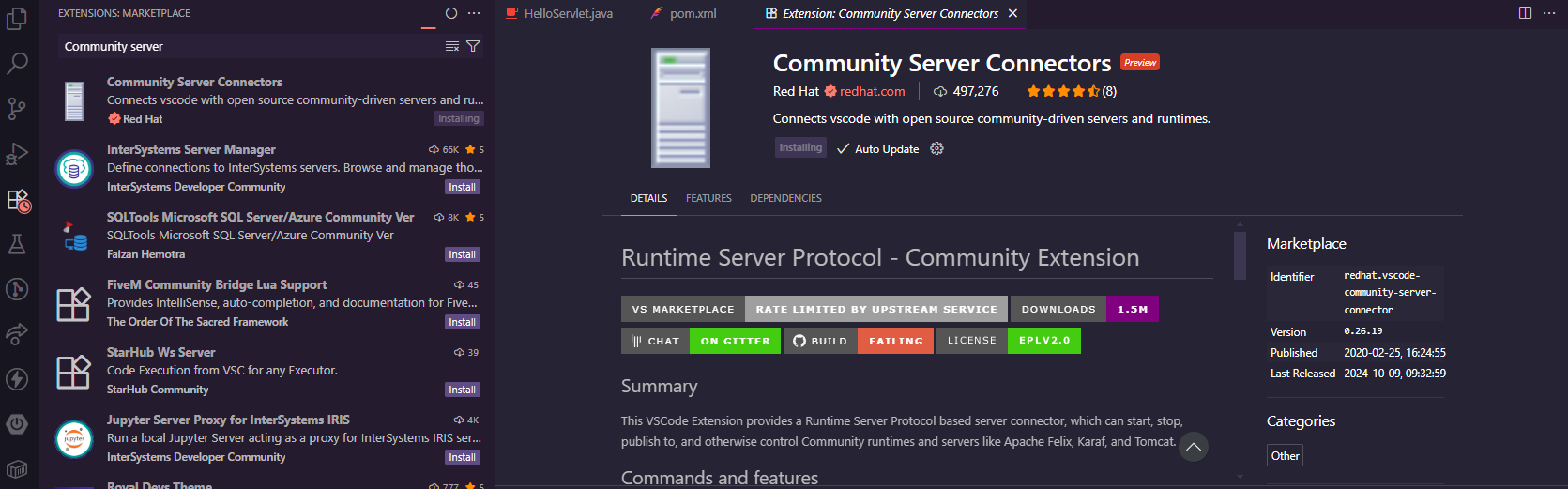
-
Click the Servers tab (bottom left), right-click Community Server Connectors and select Create new server.
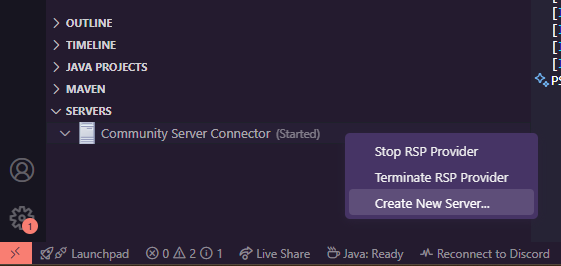
-
Select Tomcat and the installed version, then click Finish.
-
Package your web application by running:
mvn clean package -
Right-click the Tomcat server you created and select Add deployment.
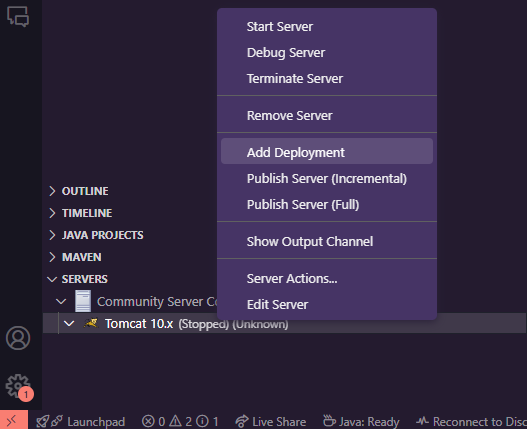
-
Select the WAR file generated in
target/my-web-app.war. -
Start the Tomcat server by right-clicking the server and selecting Start.
-
Open your browser and go to
http://localhost:8080/my-web-app/to see your application running.