Exercises: StatelessWidgets
In this guide you will test your ability to structure decoupled visual components in Flutter through 10 progressive exercises, from basic atomic elements to complex composite cards.
Each exercise includes two tabs:
- Component & View: Shows a screenshot of the component designed under Google Material Design 3 (Material You) guidelines and a short explanation of what it represents.
- Tips & Guide: Lists recommendations on the file name, pedagogical purpose, tonal palette, suggested constructor parameters and the base Flutter widgets for building the layout.
Level 1: Visual Atoms
01. Action Button with Icon
- Component & View
- Tips & Guide
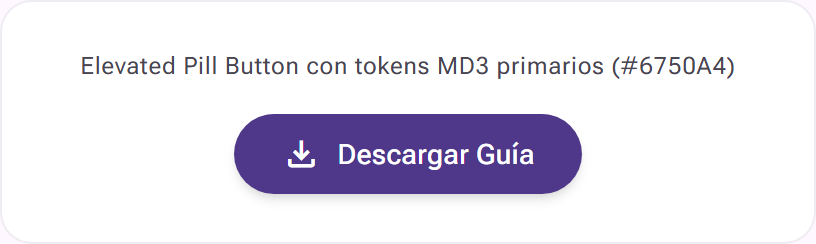
A prominent pill-shaped (pill shape) action button with an icon on the left and a clear text label, designed to trigger the download or saving of a resource in the application.
- Suggested location:
lib/components/action_button.dart - Purpose: Encapsulate a reusable pill-shaped button that responds to a configurable press event.
- Suggested M3 palette: Indigo primary background (
#6750A4) with text and icon in whiteon-primarycolor (#FFFFFF). - Suggested constructor parameters (props):
final String label;(e.g. "Download Guide"),final IconData icon;(e.g.Icons.download),final VoidCallback onPressed; - Suggested base widgets:
ElevatedButton.iconorFilledButton.iconwithstyle: ElevatedButton.styleFrom(shape: const StadiumBorder()).
02. Tonal Status Badge
- Component & View
- Tips & Guide

A small tonal status pill with a bright circular indicator and a text label, ideal for reporting the progress or condition of a task in a list.
- Suggested location:
lib/components/status_badge.dart - Purpose: Create a compact operational status label with a glowing dot that denotes an active or completed state.
- Suggested M3 palette: Soft lavender
secondary-containerbackground (#E8DEF8), text inon-secondary-containerand an emerald/green dot (#10B981). - Suggested constructor parameters (props):
final String text;(e.g. "In Progress"),final Color dotColor; - Suggested base widgets:
Containerwith a roundedBoxDecoration(BorderRadius.circular(999)), nesting aRow(mainAxisSize: MainAxisSize.min)with a small circularContainerand aText.
03. Tonal Information Banner
- Component & View
- Tips & Guide
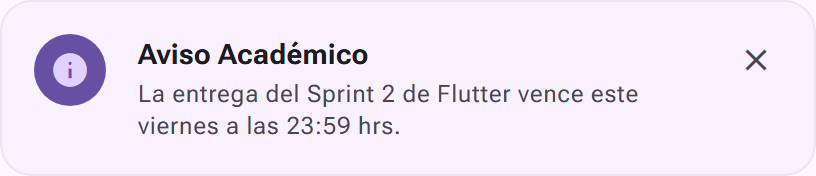
An institutional notice banner with a subtle tonal background, a circular information icon, a bold title, descriptive text and a dismiss button in the right corner.
- Suggested location:
lib/components/notification_banner.dart - Purpose: Present a highlighted announcement at the top of screens with an option to dismiss it voluntarily.
- Suggested M3 palette:
surface-container-lowbackground (#F9F1FD) with a subtleoutline-variantborder (#CBC4D2) and an icon container inprimary-container(#6750A4). - Suggested constructor parameters (props):
final String title;(e.g. "Academic Notice"),final String message;,final IconData icon;(defaults toIcons.info),final VoidCallback? onDismiss; - Suggested base widgets:
Containerwith a 16px radius,Rowwith aCircleAvatar,Expandedwrapping aColumnof texts, and anIconButtonwithIcons.close.
Level 2: Modular Molecules
04. User Profile Card
- Component & View
- Tips & Guide

A horizontal row that groups the user's circular avatar with a connectivity dot, name, an "Online" tonal label, academic role and an instant messaging button.
- Suggested location:
lib/components/user_profile_card.dart - Purpose: Render summarized data of instructors, teaching assistants or students in lists and contact panels.
- Suggested M3 palette:
surface-containerbackground (#F3EBF7), badge inprimary-fixedand a status dot in emerald green. - Suggested constructor parameters (props):
final String name;(e.g. "Sofia Martinez"),final String role;(e.g. "SIS Teaching Assistant • Flutter GDE"),final String avatarUrl;,final bool isOnline;,final VoidCallback onMessage; - Suggested base widgets:
CardorContainer, a mainRow, aStackover theCircleAvatarfor the connection indicator, aColumnfor the name and role, and anIconButtonwithIcons.chat.
05. Analytics Metric Card
- Component & View
- Tips & Guide
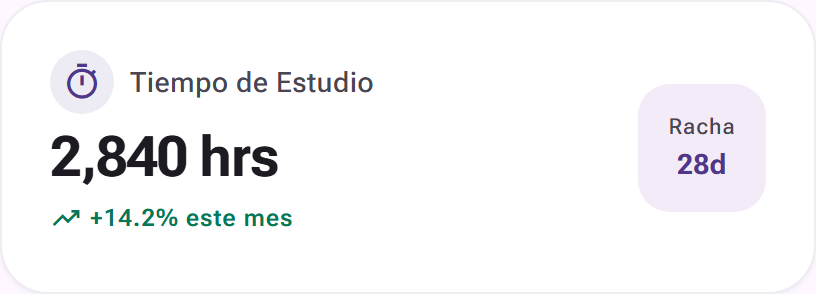
A bento-style information card that presents a quantitative metric in a large type size, accompanied by its percentage trend and a study streak indicator.
- Suggested location:
lib/components/metric_card.dart - Purpose: Display key performance indicators (KPIs) in student dashboards or weekly summaries.
- Suggested M3 palette: White
surface-container-lowestsurface (#FFFFFF), icon in a 10% primary tonal container and the trend in emerald green. - Suggested constructor parameters (props):
final String title;(e.g. "Study Time"),final String value;(e.g. "2,840 hrs"),final String trendText;(e.g. "+14.2% this month"),final String streakDays;(e.g. "28d"),final IconData icon; - Suggested base widgets:
Cardwith pronounced rounded corners (24px radius), aRowthat separates the stats column and a squareContainerfor the streak badge.
06. Media List Item
- Component & View
- Tips & Guide

A list item with a rounded square cover image, the podcast title, duration with author and a tonal circular button for immediate playback.
- Suggested location:
lib/components/audio_track_item.dart - Purpose: Build interactive rows for audio libraries, podcast episodes or recorded lessons.
- Suggested M3 palette:
surface-container-lowbackground (#F9F1FD) with the action button insecondary-container(#E8DEF8). - Suggested constructor parameters (props):
final String title;(e.g. "Flutter Podcast: State Management"),final String subtitle;(e.g. "DevCommunity Radio • 14:20 min"),final String imageUrl;,final VoidCallback onPlay; - Suggested base widgets:
Containerwith padding,ClipRRectfor the image thumbnail (12px radius),Expandedto avoid overflow in long texts, andIconButton.filledTonalwithIcons.play_arrow.
07. Floating Mini Player
- Component & View
- Tips & Guide
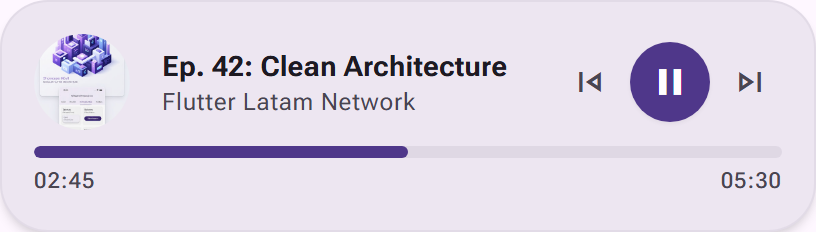
A floating widget with an episode cover, descriptive texts, a progress bar with timestamps (02:45 / 05:30) and compact playback controls.
- Suggested location:
lib/components/mini_music_player.dart - Purpose: Emulate the persistent playback bar that floats over the user interface.
- Suggested M3 palette: Elevated background in
surface-container-high(#EDE6F1), progress bar and main button inprimary(#4F378A). - Suggested constructor parameters (props):
final String title;(e.g. "Ep. 42: Clean Architecture"),final String channel;(e.g. "Flutter Latam Network"),final String imageUrl;,final double progress;(value between 0.0 and 1.0),final bool isPlaying;,final VoidCallback onPlayPause;,final VoidCallback onNext; - Suggested base widgets:
Cardwith level 3 elevation (24px radius), aColumnthat holds a top row with the image, titles and control buttons, and a bottom section with aLinearProgressIndicatorand time texts.
Level 3: Complex Organisms
08. Catalog Product Card
- Component & View
- Tips & Guide
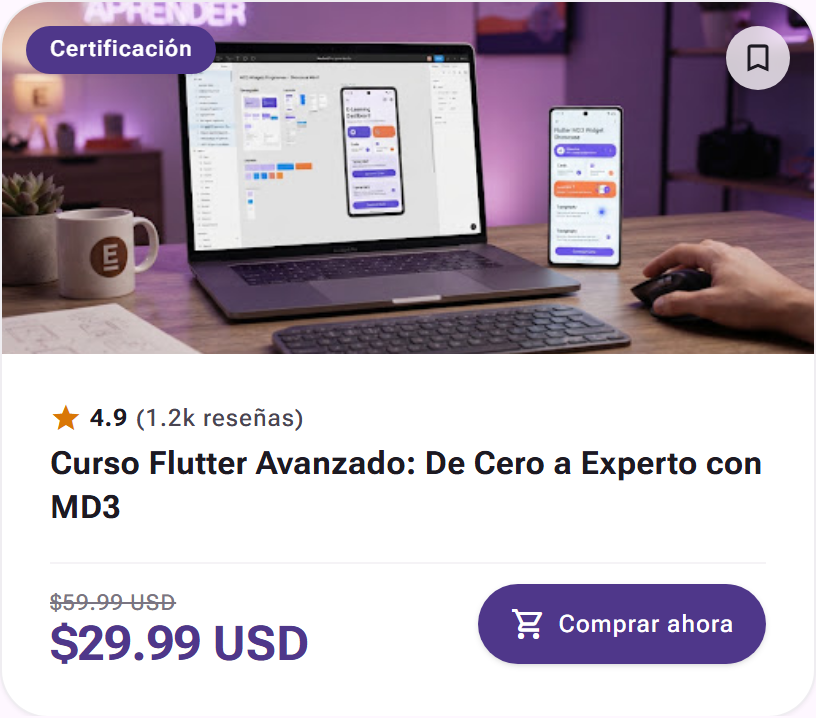
A vertical educational catalog card that integrates a header image with a floating certification badge, a save button, a star rating, a struck-through price with discount and a buy button.
- Suggested location:
lib/components/product_card.dart - Purpose: Design the main piece of a catalog of courses, digital products or premium lessons.
- Suggested M3 palette: White
surface-container-lowestbackground, category badge in the primary color, stars in an amber tone and the button in indigo primary color. - Suggested constructor parameters (props):
final String title;(e.g. "Advanced Flutter Course: From Zero to Expert with MD3"),final String category;(e.g. "Certification"),final String imageUrl;,final double rating;(e.g.4.9),final String reviewsCount;(e.g. "(1.2k reviews)"),final String currentPrice;(e.g. "59.99 USD"),final VoidCallback onBuy;,final VoidCallback onBookmark; - Suggested base widgets: A vertical
Cardwith a topClipRRect, aStackto overlay the chip and button on the image, and a bottomPaddingwith aColumnthat lays out the rating texts, prices and theElevatedButton.icon.
09. Academic Task Card
- Component & View
- Tips & Guide
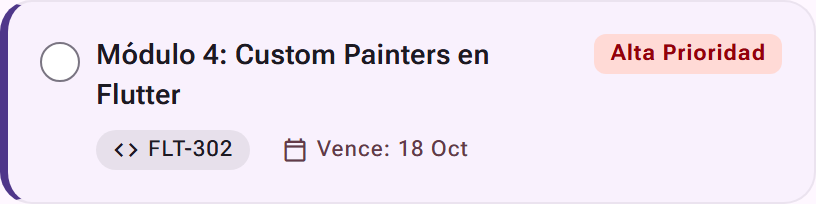
An activity card with a highlighted left border, a checkbox, a high-urgency priority label, the course code and the submission deadline.
- Suggested location:
lib/components/course_task_card.dart - Purpose: Manage lab deliverables and sprints within a list of pending tasks.
- Suggested M3 palette:
surface-container-lowbackground (#F9F1FD), a 4px left border inprimary(#6750A4), and a priority badge inerror-container(#FFDAD6). - Suggested constructor parameters (props):
final String title;(e.g. "Module 4: Custom Painters in Flutter"),final String courseCode;(e.g. "FLT-302"),final String dueDate;(e.g. "Due: Oct 18"),final String priority;(e.g. "High Priority"),final bool isCompleted;,final ValueChanged<bool?> onToggle; - Suggested base widgets:
ContainerwithBoxDecoration(border: Border(left: BorderSide(color: ..., width: 4))), aCheckboxfor the state and aRownesting badges withIcons.codeandIcons.calendar_today.
10. Full Social Feed Post
- Component & View
- Tips & Guide
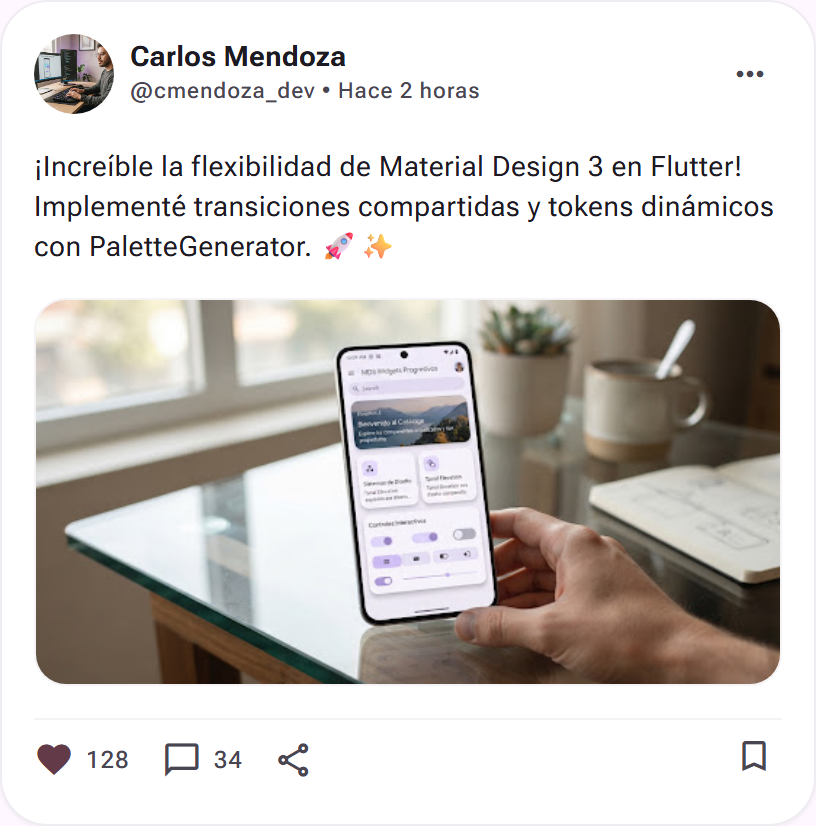
The most complete component of the series: a social post with an author header and timestamp, a text body with readable line spacing, a framed attached photo and an interaction bar with counters for likes, comments, share and save.
- Suggested location:
lib/components/activity_feed_post.dart - Purpose: Assemble the most complete component of the series: an academic social network post that combines author, outreach text, attached image and an interactive reactions bar.
- Suggested M3 palette: A wide card in
surface-container-lowestwith 24px to 28px radii, subtle dividers and interaction buttons in dark gray / secondary. - Suggested constructor parameters (props):
final String authorName;(e.g. "Carlos Mendoza"),final String authorHandle;(e.g. "@cmendoza_dev"),final String authorAvatarUrl;,final String timeAgo;(e.g. "2 hours ago"),final String content;,final String? mediaImageUrl;(optional image),final int likesCount;,final int commentsCount;,final bool isLiked;,final VoidCallback onLike;,final VoidCallback onComment;,final VoidCallback onShare;,final VoidCallback onBookmark; - Suggested base widgets: A
Cardwrapping a general 16pxPadding, aRowwith aCircleAvatarfor the header, a 16px-radiusClipRRectfor the optional media content, and a bottomRow(MainAxisAlignment.spaceBetween) with interaction buttons for likes, comments, share and save.